

There comes a point where the stick, the throttle and the rudder pedals aren’t enough anymore: you want the rest of the cockpit, those panels full of screens and buttons that turn a desk into a real instrument panel. That’s the layer we’re tackling today. Bases, sticks and rigs we already covered in our complete PC flight sim guide; here we move up a notch, to avionics and instruments.
For a long time, this layer was the preserve of the most dedicated virtual pilots, the ones who built their own panels out of salvaged screens. The market has changed. Honeycomb, Logitech, Winwing and now MOZA Racing offer ready-to-mount panels, and the topic finally deserves its own guide.
Avionics: what separates a setup from a real cockpit
A bit of vocabulary first, because it comes up constantly and you often see it mixed up on the forums. On Airbus, the systems break down like this:
- FCU: the panel sitting on the glareshield that sets the autopilot (speed, heading, altitude, vertical speed).
- EFIS sections: on either side, they handle the baro and the navigation display modes.
- MCDU: the keypad with its small color screen, where the flight plan is programmed.
Boeing does the same job but doesn’t call it the same thing: MCP for the autopilot, CDU for flight management. Never mix the two worlds up: it’s the tell that instantly gives away a beginner simmer.
Why does it matter for your home cockpit? Because these panels are exactly what classic flight peripherals don’t give you. A stick lets you fly. An FCU and an MCDU let you manage the flight like a crew, without chasing the mouse in the middle of an approach. It’s a small shift, eyes on the screens instead of on the cursor, but it’s the one that separates a session where you’re playing from one where you’re flying.
Airbus side: FCU, EFIS and the famous MCDU
This is probably the most crowded ground right now. At the affordable end, the Logitech Pro Flight range has been around for years, those small stackable modules (Switch Panel, Radio Panel, Multi Panel) that cover the essentials without breaking the bank. That’s where many people start, and that’s perfectly fine.
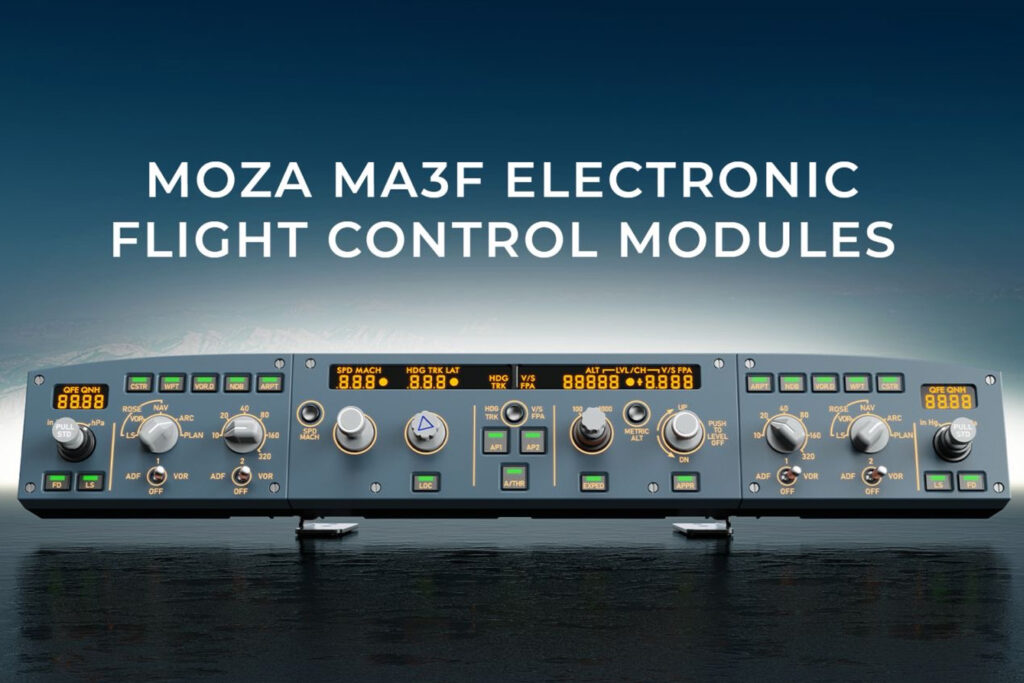
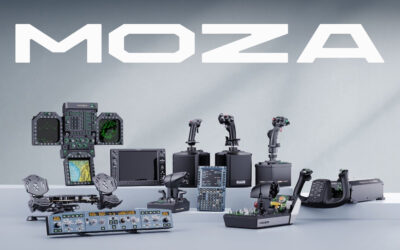
MOZA Racing targets this segment with a more high-end approach and a breakdown that mirrors the real cockpit. For the Airbus A320, two panels work together:
- MA3F EFCM (FCU + EFIS): it reproduces the layout and comes in three configs (FCU only, FCU with one EFIS, or the full suite with left and right EFIS). The dual-rail push/pull knobs bring back the aircraft’s actual feel.
- MA3F FCD (MCDU): it recreates the A320 MCDU, with a 5.1-inch IPS screen, a die-cast aluminum front and crisp-travel keys.
MOZA lists both panels as compatible with the default Airbus aircraft in MSFS and X-Plane (the A320/A330 depending on the sim and its version), as well as with the A320 families from Fenix, ToLiss and FlightFactor. In other words, exactly the aircraft Airbus fans fly. On the physical-MCDU front, Winwing recently released its own, a sign the demand is real. Seeing your route come up on a real avionics screen, knob on one side and keypad on the other, brings a bit of ceremony back to flight prep, and that extra ritual is exactly what hooks you.
A word of advice along the way: a panel like this doesn’t replace reading a good add-on tutorial. The faceplate gives you the real keys, not the procedure; the FMS, you learn in the aircraft.
Boeing side: the CDU and the American school
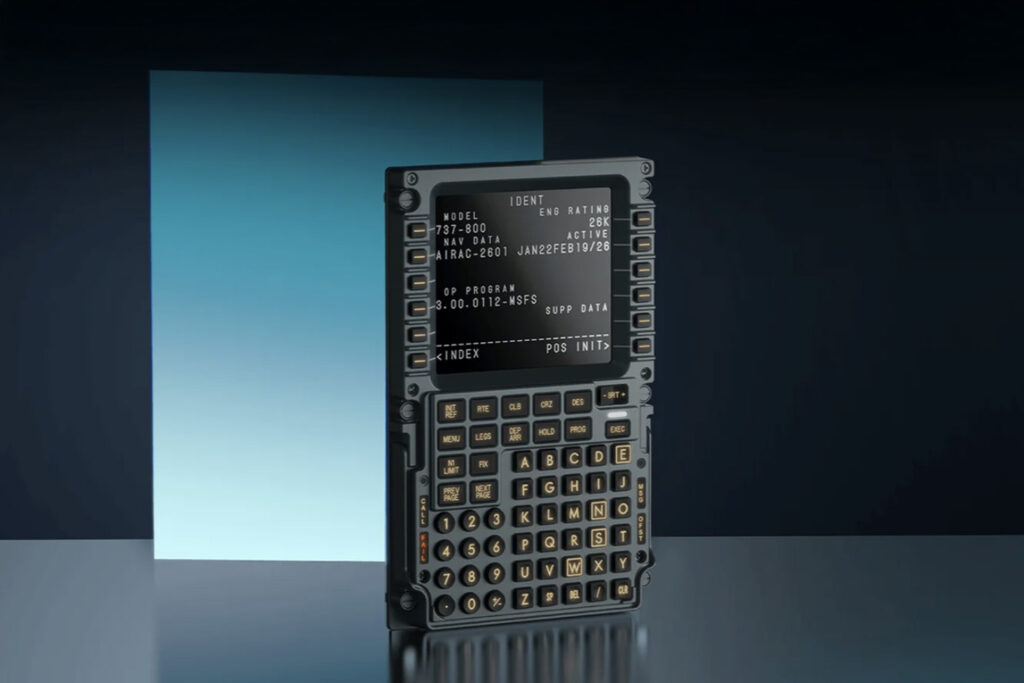
If you’re more 737 than A320, the logic is the same, only the hardware differs. The MCDU’s counterpart here is the CDU, and MOZA covers it with the MB7F FCD, twin of the Airbus version: same 5.1-inch screen, same metal front, but a key layout and pages modeled on the 737. MOZA lists it as compatible with the reference 737 add-ons, PMDG and iFly first among them, the ones you’ll inevitably run into if you fly Boeing seriously.
This is also where a behavioral difference comes in, and it’s not cosmetic:
- Airbus runs on autothrust with throttle levers that don’t move on their own: the pilot sets them in detents (IDLE, CL, FLX/MCT, TOGA) and the FADEC commands the thrust.
- Boeing keeps motorized levers that slide on their own to follow the automation.
On a home cockpit, a caveat applies: most consumer quadrants don’t reproduce that motorized movement, and the difference between an Airbus module and a Boeing module comes down mostly to detent layout and feel. The MOZA MTQ, for example, accepts Airbus (TQA) or Boeing (TQB) lever modules depending on the school you’re after.
The glass cockpit, or general aviation gone digital
A complete change of scenery with general aviation. Gone are the six analog gauges: a modern Cessna or Diamond displays everything on screens, the famous glass cockpit. The reference is the Garmin G1000 suite: two identical screens, typically set up with a PFD for flying and an MFD for the map, the engine and the systems.
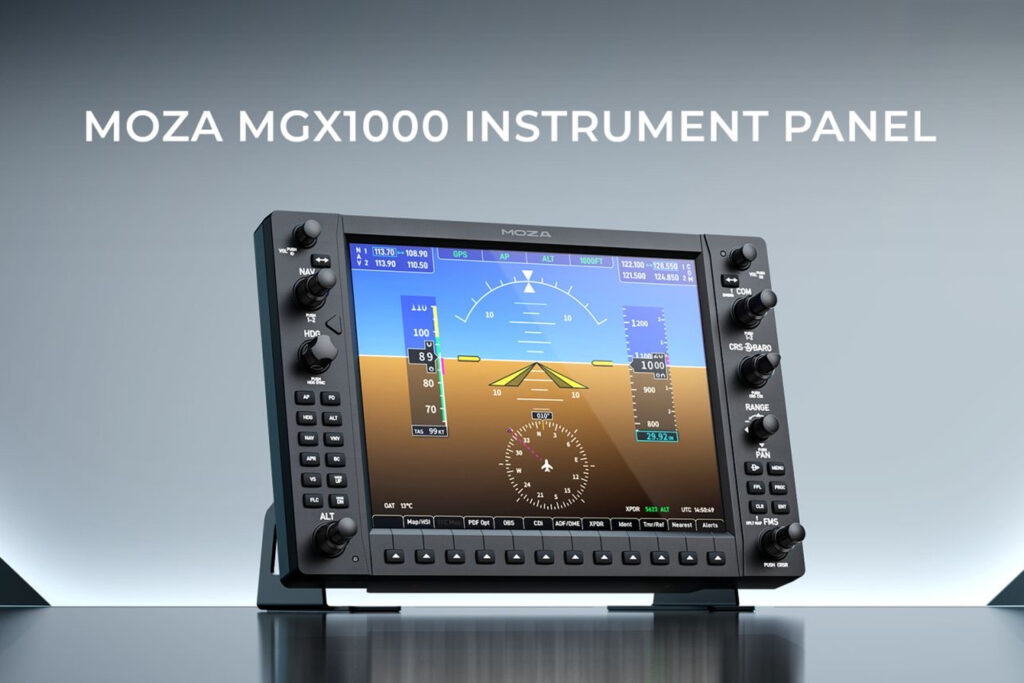
MOZA answers this need with the MGX1000, a G1000-type glass-cockpit panel:
- a 10.4-inch IPS screen at 1024×768, up to 500 nits;
- detented knobs and a small seven-way joystick;
- a DisplayLink video connection (over USB): it’s not the same connector as HDMI, which saves you from tying up a graphics-card output.
Each unit can be set as a PFD or an MFD, so two modules build you a full glass cockpit. On the compatibility side, MOZA targets the natively G1000-equipped aircraft in MSFS 2020/2024 and X-Plane 11/12, from the Cessna 172 to the DA40 to the Kodiak 100. For anyone flying mostly GA, it changes the feel of an instrument approach quite a bit. You go from a panel you put up with to one you read at a glance, and on a busy IFR leg the difference is immediate.
Combat and DCS: the panels that smell of jet fuel
The combat world plays in another league, that of DCS World, and its vocabulary has nothing in common. An F/A-18 Hornet isn’t flown on the stick alone: it lives through its DDIs, its management displays, its central AMPCD and its UFC, the command-and-entry pad at the top of the panel.
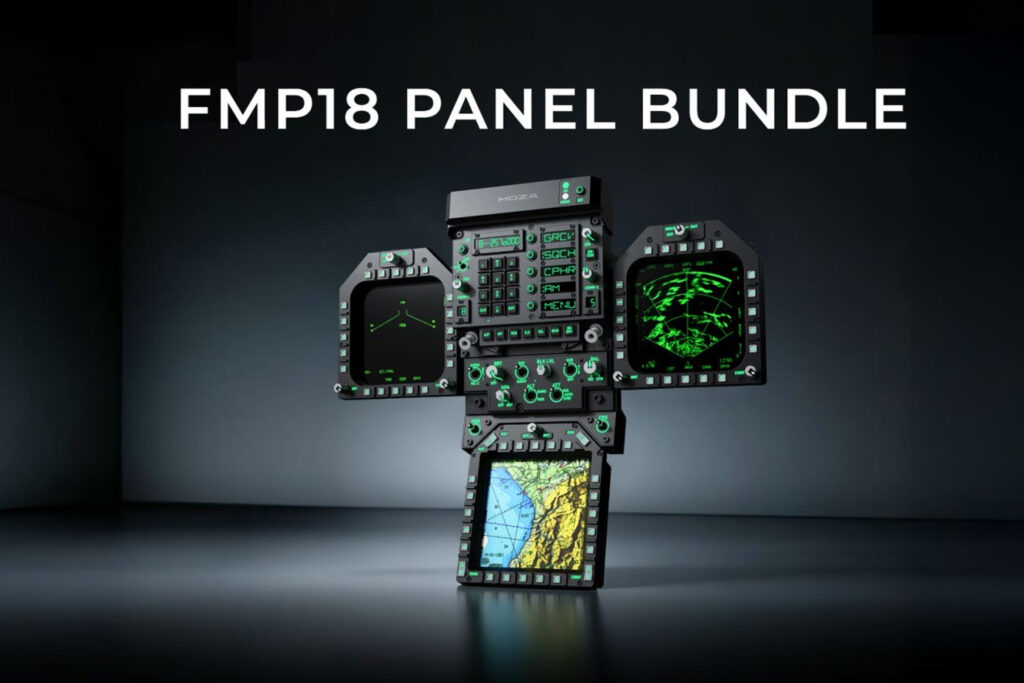
Here, MOZA’s FMP18 offers a Hornet front-panel system that brings together:
- two DDIs and the AMPCD (7.1-inch square active area at 800×800);
- the FPP front panel and its desk stand;
- 95 buttons, 16 rotaries and 7 switches in total;
- magnetic quick-swap mounting.
And MOZA isn’t arriving on empty ground: Winwing has made a name for itself with its Hornet MFDs and UFCs, and brands like VKB cover the adjacent controls. It’s enthusiast territory, demanding, and clearly not the first place to put your budget. But for anyone who spends their evenings in the Hornet, getting the real screens under your fingers instead of a cascade of clicks is exactly the immersion you come to DCS for.
Putting it all together: the real question is the ecosystem
Then there’s the logistics, and that’s often where setups stall. MOZA panels mount on VESA 75, the monitor-mount standard, which lets them sit on a monitor arm or an aluminum-profile rig, the same kind of frame already used on the sim racing side. Other brands still rely on their own mounts or simple desk clamps, worth checking before buying. For the rig/stick/throttle base, we point you back to our complete flight sim guide; here, we’re talking about what gets bolted on top.
And that’s exactly MOZA’s argument. Honeycomb remains an excellent entry point on the GA side with its Alpha yoke and Bravo quadrant, with a built-in autopilot panel and warning lights; Logitech remains the most affordable modular option. Where MOZA stands out is that it covers the whole chain: force-feedback bases, sticks, the Airbus sidestick, rudder pedals, throttles, and now the panels, the avionics and the glass, all driven by a single piece of software, MOZA Cockpit. You don’t juggle five brands and five utilities: you build one coherent cockpit, piece by piece. It’s not the first purchase you’d recommend to a beginner. It’s more the destination you grow your setup toward. And once you’re there, it’s the kind of cockpit you stop tinkering with and finally start flying.
So, what do you build first?
Avionics and instruments are what separate an honest setup from a cockpit that really feels like being at the controls. The good news is that the hardware to tackle it finally exists, from the small entry-level module all the way to the full ecosystem; it’s up to each of you to choose where to start.
Which leaves the question the community keeps coming back to: where do you begin? The MCDU that keeps your hands busy through the whole flight prep, the glass cockpit that transforms a GA approach, or the Hornet front panel for the DCS die-hards? Tell us what sits front and center on your instrument panel.
0 Comments