
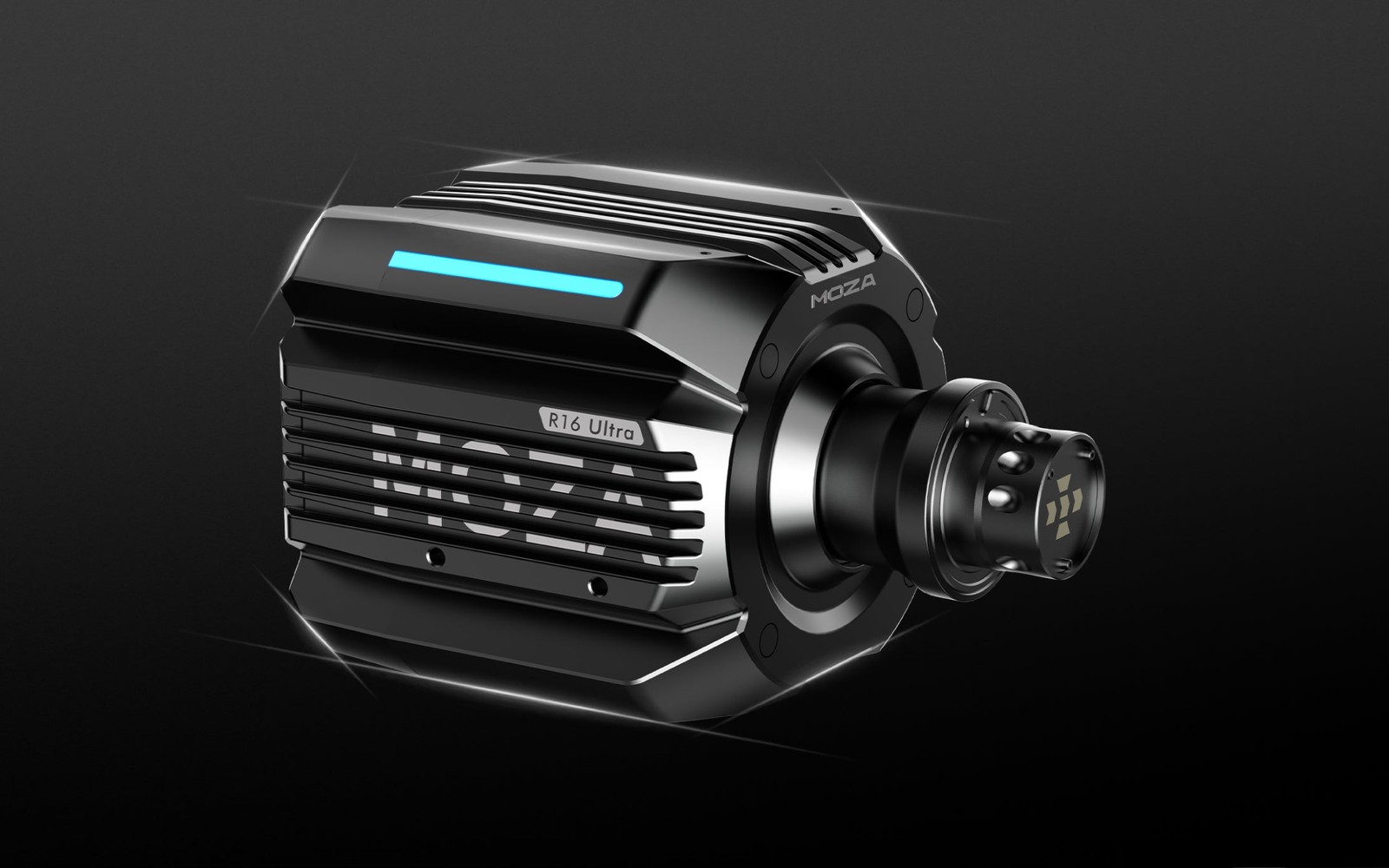

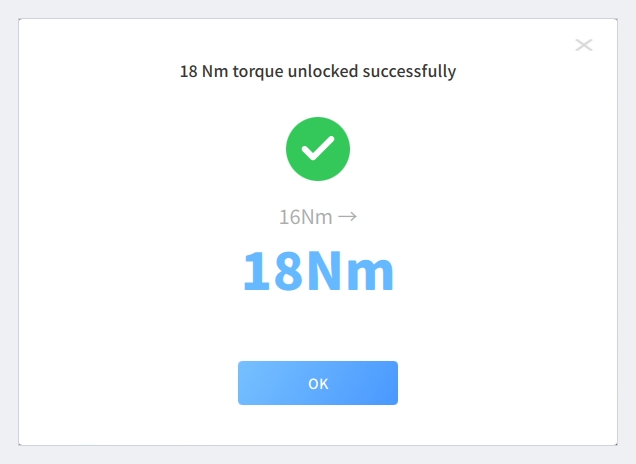
Since November 4, MOZA Pit House 1.4.2 and firmware 1.2.12 make 2 Nm of extra sustained torque available on every MOZA Ultra wheelbase, free of charge. Torque rises from 16 to 18 Nm on the MOZA R16 Ultra, from 21 to 23 Nm on the MOZA R21 Ultra and from 25 to 27 Nm on the MOZA R25 Ultra True Torque. You unlock it once, in three steps inside Pit House. To use the extra headroom without clipping, lower the force feedback in the game rather than in Pit House.
How Do You Unlock the 2 Nm in MOZA Pit House?
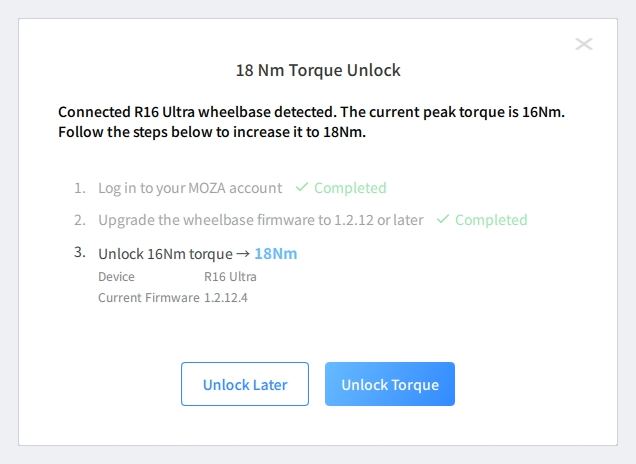
Update Pit House to version 1.4.2 and connect your Ultra wheelbase. A banner at the top of the window then shows the new figure waiting to be unlocked, for example “18 Nm torque awaiting unlock” on an R16 Ultra. The banner’s Unlock button opens a dialog with three steps:
- Log in to your MOZA account, or register one first if you do not have an account yet.
- Click Upgrade Firmware, then in the Firmware Manager select wheelbase firmware 1.2.12 or later, click Update and wait for the “update success” message.
- Click Unlock Torque. Pit House confirms that the torque is unlocked, and the top of the window then shows the new figure.
The Unlock Later button closes the dialog if you want to come back to it. The unlock is done once and stays active through future firmware updates with no further action. The only exception: if you reinstall an older firmware version, you may have to unlock it again.
What the 2 Nm Change at the Wheel
The extra 2 Nm is sustained torque, the same kind of rating the Ultra Series already uses: the torque the motor holds continuously, not a short peak. That is 12.5 percent more on the R16 Ultra, 9.5 percent more on the R21 Ultra and 8 percent more on the R25 Ultra. At the rim, force equals torque divided by the wheel’s radius, so on a 300 mm diameter wheel (150 mm radius) the extra 2 Nm is about 13 N more force at your hands.
Nothing is opened, modified or replaced. According to MOZA, the Ultra Series was designed with a performance reserve and first rated within a conservative range, and the new firmware releases that reserve as usable torque. The motor still monitors its output and temperature in real time and balances power delivery against thermal protection.
The sustained rating is the ceiling your force feedback works under. Cornering loads sit below it, and kerbs and bumps arrive on top of them. When a force asks for more than the top of the range, in the game’s output or at the wheelbase, the signal clips: it stays flat at the limit, and any detail above it is lost. With your settings unchanged, the extra 2 Nm makes every force stronger in proportion, and forces that clipped before still clip, only stronger. Our MOZA R9 vs R12 comparison shows in practice what torque headroom changes when it comes to clipping.
Other Firmware Changes
According to MOZA, firmware versions 1.2.11 and 1.2.12 also rework the motor’s underlying parameters, including its current control strategy and torque compensation model. The brand says force output is now more linear and easier to control from the bottom to the top of the range, without trading fine detail for heavy loads; MOZA adds that it tuned this response by comparing measurements taken with torque sensors. A more linear response means the torque at the rim follows the game’s signal more faithfully, from a faint texture to a heavy cornering load.
Version 1.2.12 also fixes a resonance that could occur when the steering wheel was turned rapidly, and removes the Soft Limit Stiffness adjustment toggle.
Feel Style Replaces Feel Strength in Pit House
Feel Style replaces the former Feel Strength setting. Each style sets the motor’s underlying parameters differently, and the range goes from realistic damping close to a real car to the crisp, detailed feedback many esports drivers like. You choose the style first, then fine-tune the individual settings around it.
Which Settings Should You Use After the Update?
To build your own settings, choose a Feel Style first, then set damping, friction and inertia to their minimum values: 0 percent for Natural Damping and Natural Friction, and 100 percent for Natural Inertia, the lowest value its slider allows. Set the Road Sensitivity equalizer, in the FFB Effect Equalizer tab, to 100 percent. Then raise damping in small steps, bring the road sensitivity equalizer back down, and adjust the rest until the wheel feels the way you like.
MOZA’s Recommended Settings
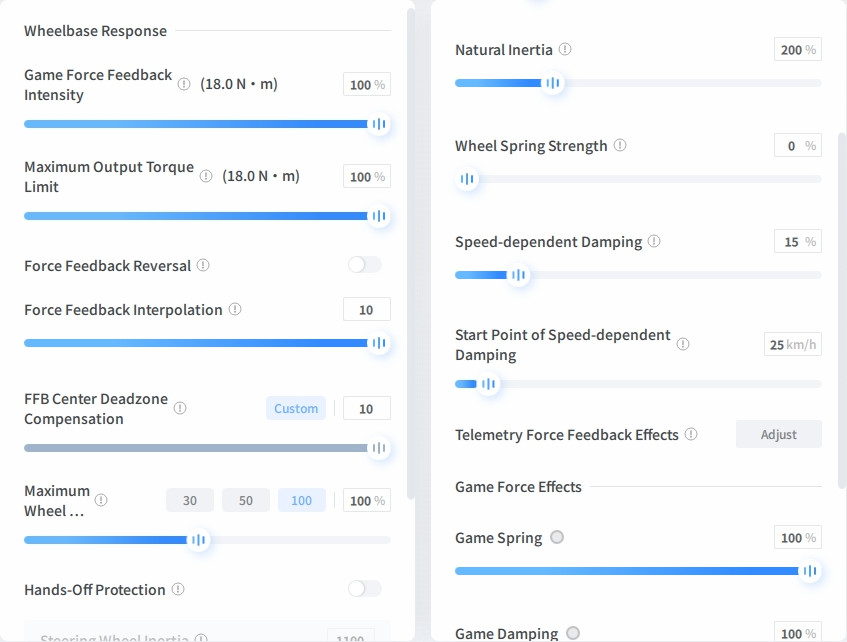
If you would rather start from finished settings, these are MOZA’s recommended values for all three Ultra wheelbases:
- Natural Inertia: 200 percent
- Speed-dependent Damping: 15 percent, with its Start Point at 25 km/h
- Force Feedback Interpolation: 10
- FFB Center Deadzone Compensation: Custom, at 10
- Wheel Spring Strength: 0 percent
- Game Force Feedback Intensity and Maximum Output Torque Limit: 100 percent
- Game Spring and Game Damping: 100 percent
These values leave Feel Style, Natural Damping, Natural Friction and the equalizer to your own feel.
Heavier Steering or More Headroom?
Pit House scales Game Force Feedback Intensity and Maximum Output Torque Limit against the new maximum and shows the result in newton-metres next to each slider. At 100 percent, the readout on an R16 Ultra moves from 16.0 to 18.0 Nm, so with your profile unchanged everything you feel at the rim is 12.5 percent stronger.
If you liked your previous steering weight, lower the force feedback strength in the game until the steady cornering load feels as it did. Lowering it in Pit House instead would bring back the old ceiling. Lowering it in the game keeps the new one, so kerbs and other spikes get extra room before the game’s signal clips. For a profile built from scratch, the recommended way to avoid clipping is to keep the force feedback strength in Pit House at 100 percent and set the game’s own force feedback strength around 80 percent, in games that use a percentage.
A Torque Rating Set by Firmware
On the Ultra Series, the torque rating is a limit set in firmware, inside what the hardware was designed to sustain. That is why a base bought before this update can now deliver 2 Nm more than on the day it shipped.

0 Comments